A request with useful context
Give the ticket a clear title and describe the expected result. Add the order, bag, or transfer reference and relevant evidence so the team can understand the issue sooner.
Open a request, follow its progress, and keep every answer in one conversation.
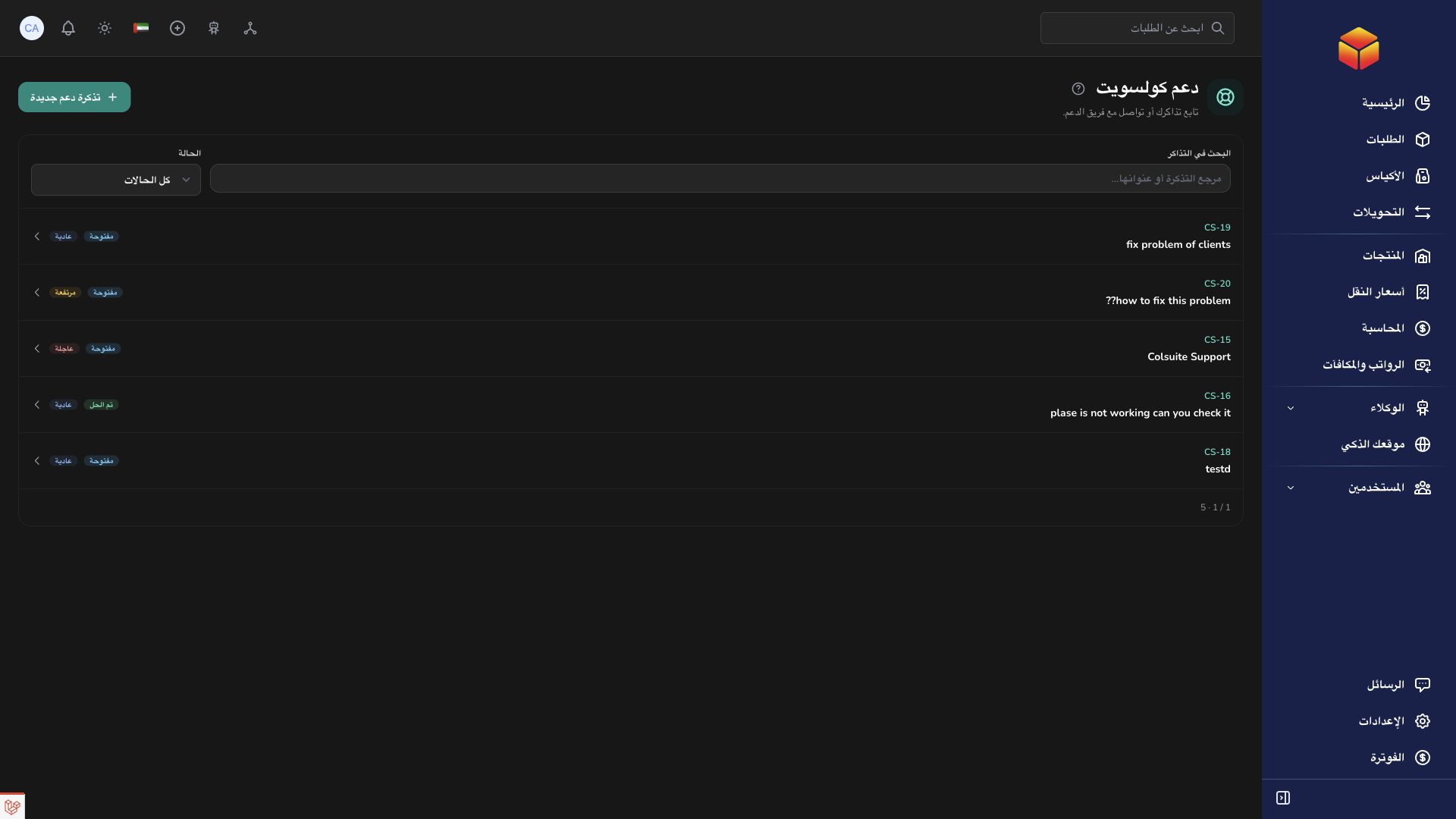
Give the ticket a clear title and describe the expected result. Add the order, bag, or transfer reference and relevant evidence so the team can understand the issue sooner.
Reply in the existing ticket and follow its status rather than opening duplicate requests. Messages, attachments, and activity keep the history available for follow-up.
Assigned agents, priorities, internal notes, saved replies, and response deadlines help organize the support queue. Internal notes stay separate from replies to the requester.
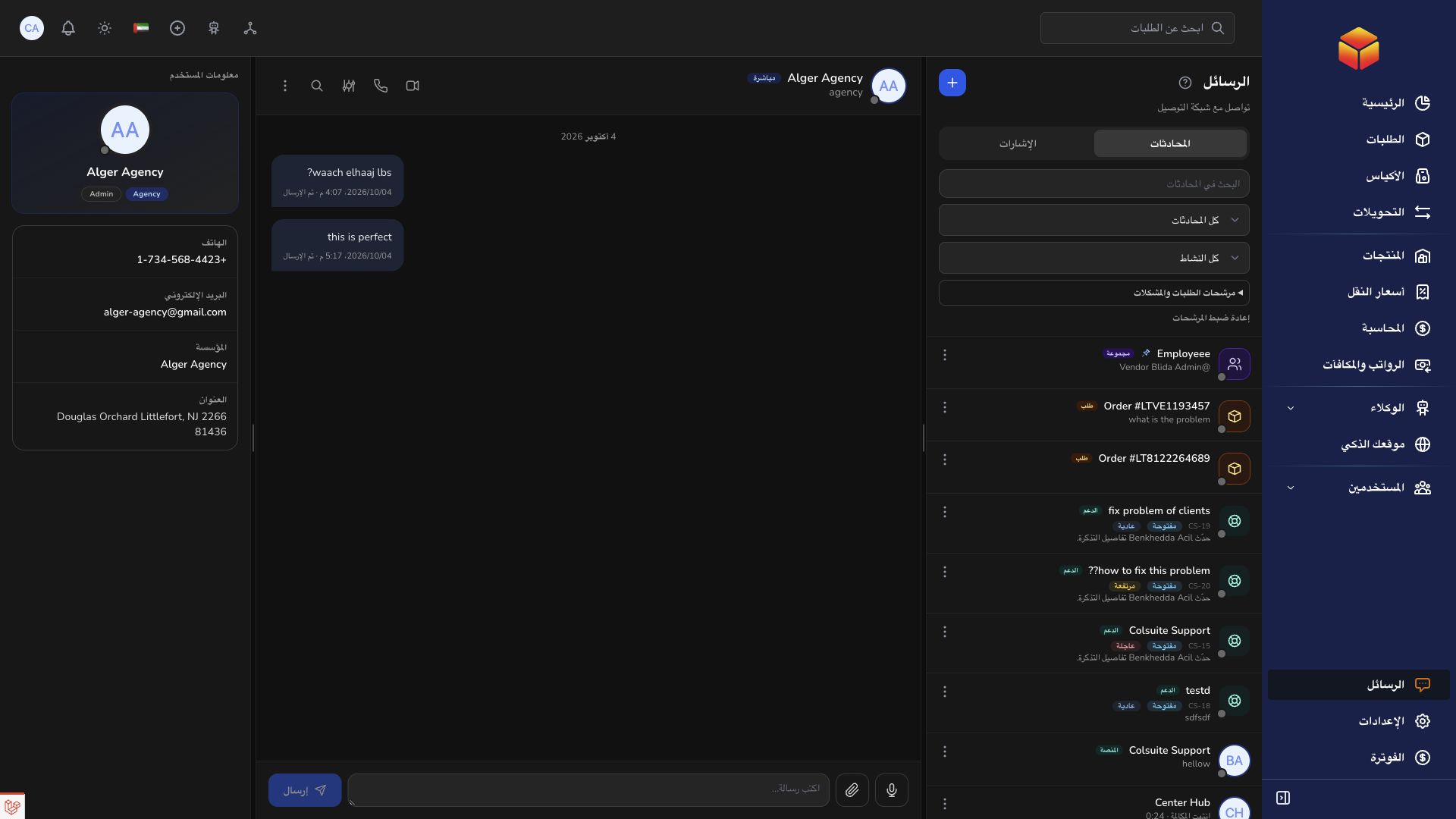
Ask about a platform setting, send a screenshot, and return to the same ticket whenever you need an update.
Practical instructions from the ColSuite documentation.
Create a support ticket when you need help with a specific application issue or operational question.
Read the guide ↗ SupportKeep all follow-up information in the existing ticket so support can review one complete conversation.
Read the guide ↗ SupportA useful priority and precise evidence help support understand the business impact and investigate the right records.
Read the guide ↗Start with 300 free orders and discover the tools with your team.