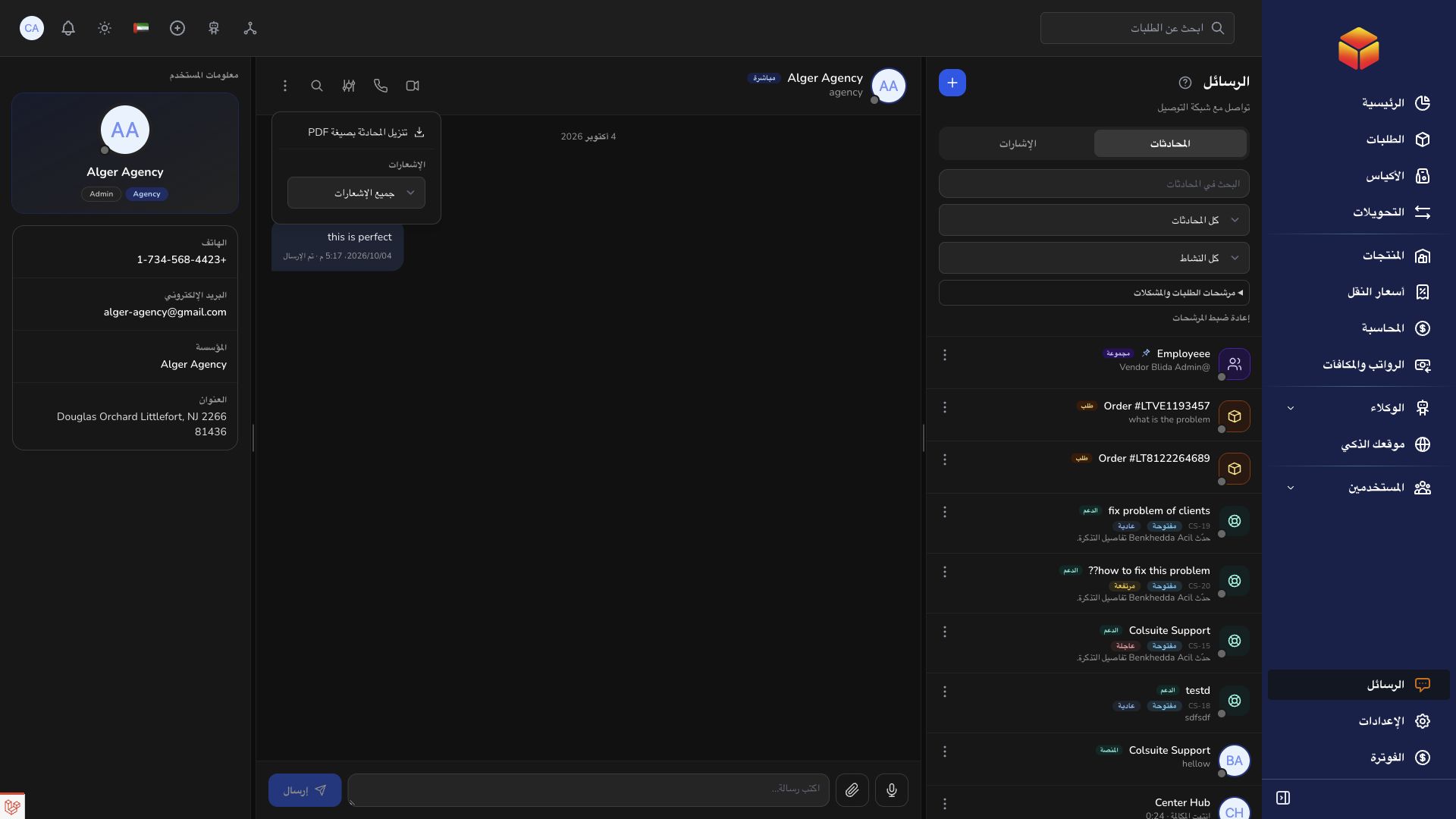
Manage notifications and pinned messages
Conversation notification settings and pins help you focus on the discussions that matter.
Overview
Conversation notification settings and pins help you focus on the discussions that matter.
Conversation visibility and reliable coordination
Direct conversations connect available contacts. Groups collect selected participants; order conversations preserve shipment context; support conversations track requests for assistance. Use the appropriate conversation instead of spreading the same issue across several unrelated chats. Check the title, participants and linked reference before posting.
Files and screenshots are visible to the people allowed to access the conversation. Remove unrelated private information before sharing them and review the pending attachments before sending. If an upload is rejected, check the displayed validation feedback rather than repeatedly submitting the same file. Mention the order, bag or transfer reference in text so the discussion remains searchable.
Pins highlight a conversation or message; notification settings affect alerts. Neither changes an order status, records a handover, nor resolves a ticket. Complete the operational action in its record and use the conversation to explain it. When a conversation is muted, review unread messages and mentions at an appropriate interval so a request is not missed.
Steps
- Open a conversation and inspect its notification settings.
- Choose the available notification level or temporary mute duration that suits your work.
- Pin a conversation to keep it accessible, or use a message pin where permitted to highlight an important instruction.
- Review unread conversations and mentions regularly, especially after a mute period.
Good to know
Muting changes notifications; it does not resolve a support ticket or remove you from a conversation. Use the ticket status controls for support progress.
Application links
Application links require the appropriate account access. The destination is selected for your signed-in role.