Manage hubs and agencies
Hubs and agencies represent operational locations used to organize shipment handling and transfers.
Role-specific access: authorized company users maintain hub and agency records. A hub can review its available agency list; this does not provide company-level agency creation or editing controls. Agency and transporter users follow their assigned location or work rather than configuring the network.
Overview
Hubs and agencies represent operational locations used to organize shipment handling and transfers.
Keep locations and handoffs distinct
The company connects the network. An agency represents local operational handling; a hub represents a logistics location used along the route. A transporter is an assigned operator, not a location. Users must be attached to the relevant organization or assignment before their workspace can show the appropriate records.
Bags describe groups of orders between final origin and destination agencies. Transfers describe individual agency-to-hub, hub-to-hub or hub-to-agency movements permitted by the route. Intermediate receipt changes the bag’s current location, but does not mean every order has completed final verification. At the next leg, check that the transfer starts from the recorded current location.
At the final destination agency, receipt is followed by item verification and final bag opening. At a hub, the permitted onward process can make a received bag ready for the next transfer. Use the actual location, record status and visible controls rather than assuming that every team member can perform the same action. Share bag, transfer and order references explicitly during a discrepancy.
Steps
- Open Hubs or Agencies from your company workspace.
- Review existing locations, then use the create or edit control as needed.
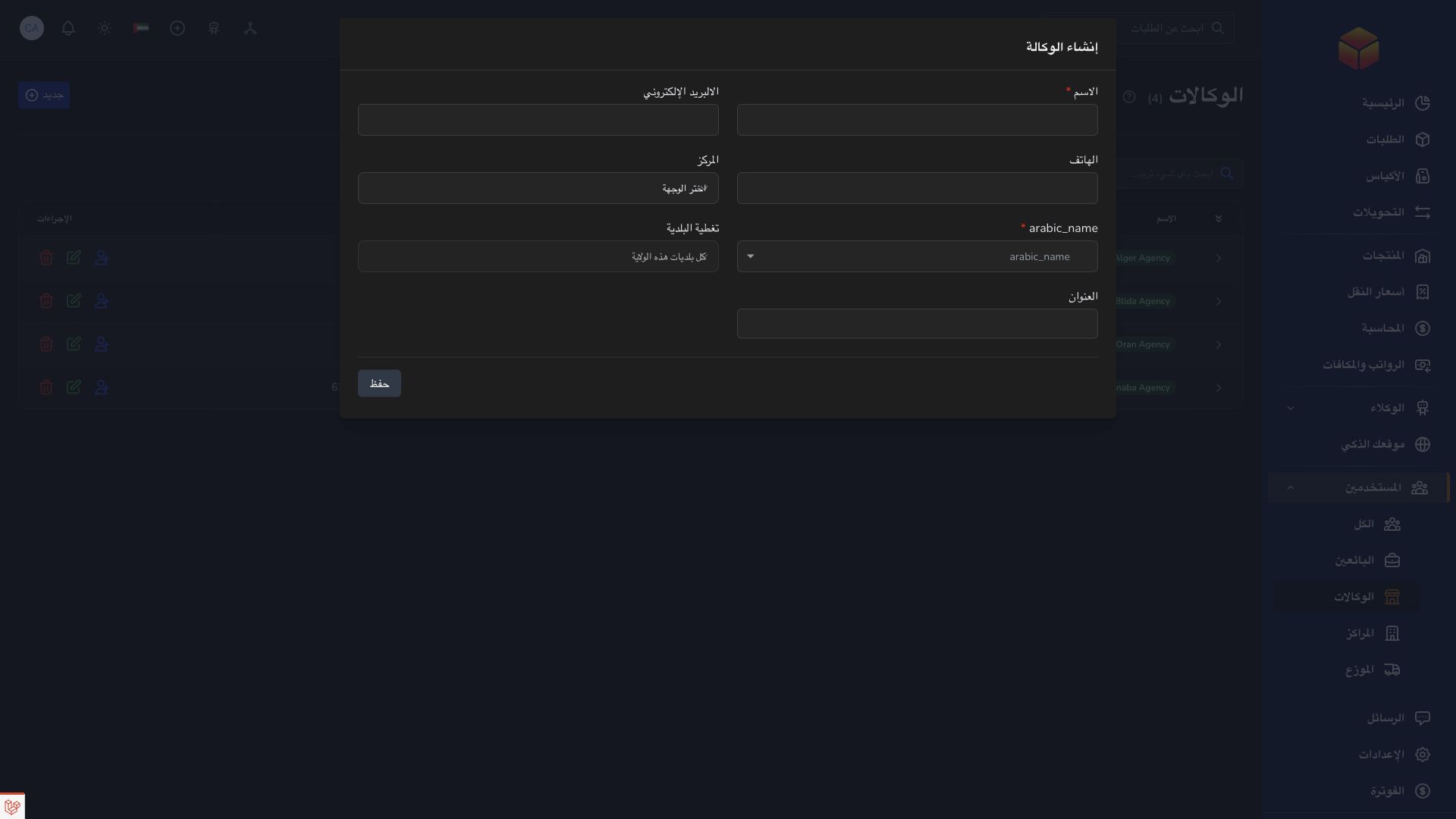
- Complete the location and contact fields. In the company agency form, enter the required name and state, optionally select a hub from the same company, and review district coverage. This configures the agency-to-hub relationship; it does not mean every transfer must stop at that hub.
- Review user assignments and use the correct location when preparing bags and transfers. If the creation form also accepts an account email, check the associated user after saving rather than creating a duplicate login.
Good to know
A location record does not automatically give every user access to it. Organization assignments and permissions continue to apply.

Application links
Application links require the appropriate account access. The destination is selected for your signed-in role.