Find records and understand your access
Use lists, filters and record references to navigate efficiently while staying within your assigned organization.
Overview
Use lists, filters and record references to navigate efficiently while staying within your assigned organization.
How the roles work together
The company is the business boundary. Vendors supply the merchant and order information. Agencies handle local operations; hubs handle logistics movements between locations. Transporters carry the work assigned to them. A person signs in as a user attached to the appropriate organization and role. Changing a user assignment therefore changes the records and controls relevant to their work.
An order describes one shipment. A bag groups eligible orders and preserves their final origin and destination agencies. A transfer describes one movement between a hub or agency and another location; several transfer legs can carry the same bag toward its final destination. Keep the order barcode, bag reference and transfer reference distinct when discussing an issue.
Before acting, verify the physical situation, the record reference, current status and your assigned location. After saving, check the updated record rather than assuming the operation succeeded. Use Messages for coordination, Support for a tracked request, and Accounting for financial evidence. Public guides explain the workflow but cannot expose another organization’s records.
Steps
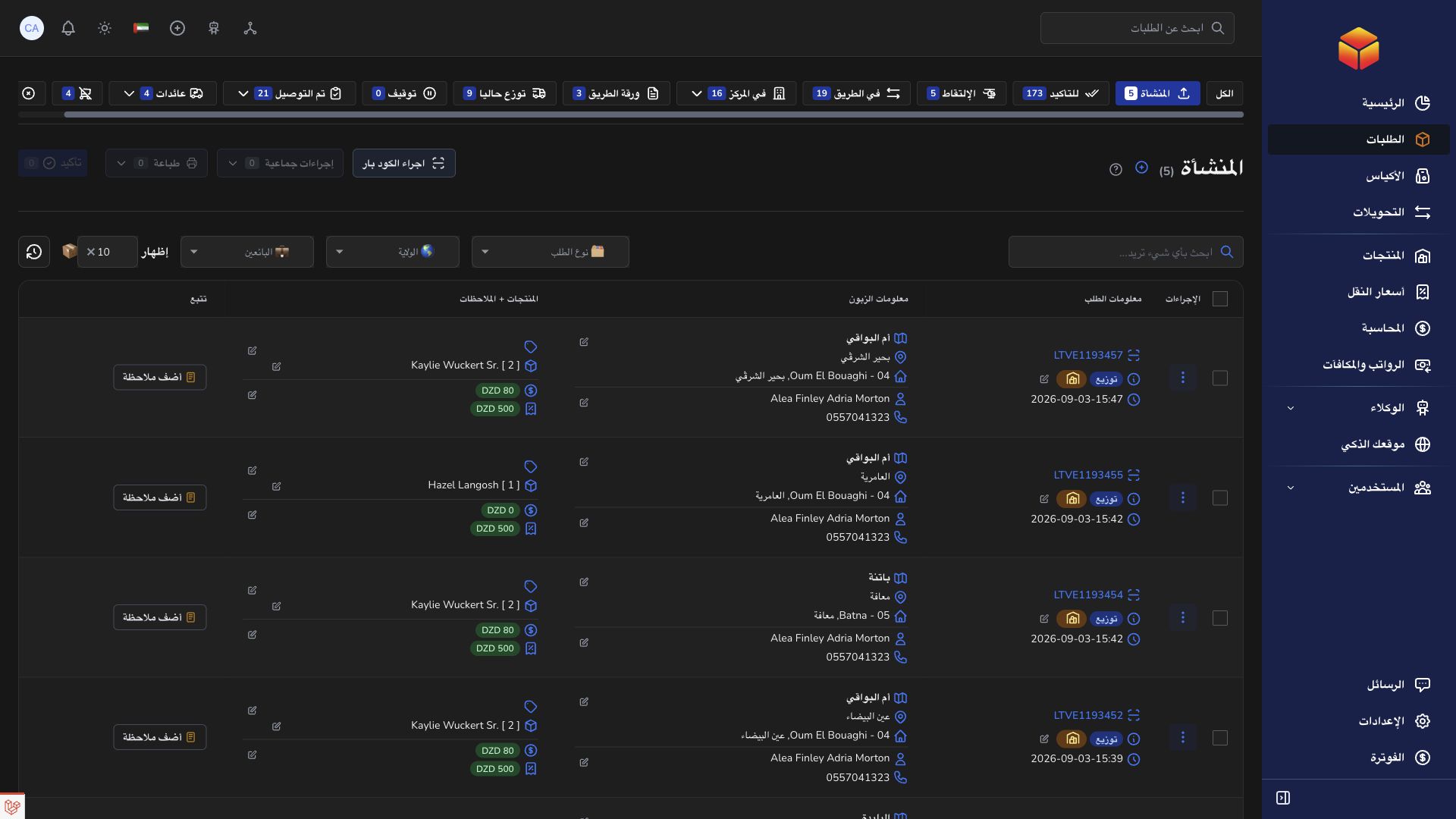
- Open the module from the navigation and enter the record reference in its search field.
- Check active status and organization filters if an expected record is missing.
- Open a row to inspect its details before making changes.
- When asking the assistant for a specific record, include its order barcode, bag reference or transfer reference.
Good to know
A missing record may be outside your organization or assigned role. Sharing a record URL does not override access checks. Do not create a duplicate until you have checked the filters and confirmed the reference.
Application links
Application links require the appropriate account access. The destination is selected for your signed-in role.