Review bills and payments
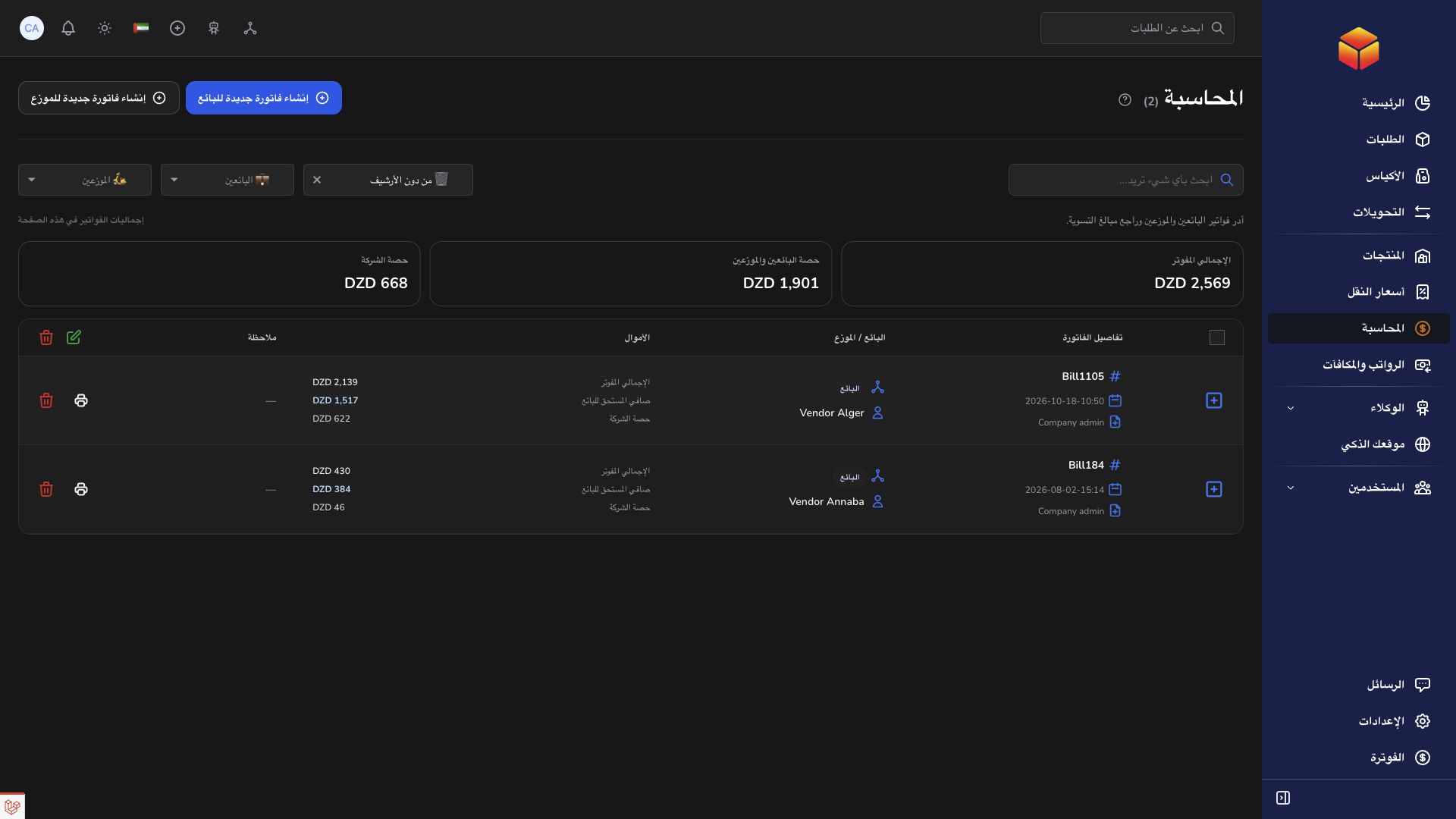
Bills and payment records document financial settlement activity for the accounts you manage.
Role-specific access: authorized company, hub and agency users can prepare vendor and transporter bills within their scope. Vendors and transporters review their own bills and account details; their bill pages do not create bills or record payments. Ask the responsible team about corrections rather than attempting a settlement action from another workspace.
Overview
Bills and payment records document financial settlement activity for the accounts you manage.
Read operational and financial evidence separately
The company, vendor and transporter have different financial views. Start by identifying whose account is selected and which records the current filters include. A bill groups financial information, a payment records settlement activity, and an order status describes operations. None of these alone proves the details of the others.
Before recording or disputing an amount, inspect the underlying references, covered shipments and prior entries. Compare the bill reference and date with the payment you intend to record. After a slow response or connection interruption, reopen the record to check whether the first request succeeded before submitting a second one.
Company subscription Billing concerns the service plan, account limits and available subscription actions. Vendor or transporter Accounting concerns operational financial records. Use the correct page for the question. A useful support ticket gives the account, bill or payment reference, related order barcodes, shown amount and expected amount without exposing payment secrets.
Steps
- Open the relevant accounting account or bill list.
- Review the bill reference, covered records and amounts before taking action.
- Use the payment controls only when you are authorized and the payment details have been confirmed.
- Reopen the bill or account to verify the recorded result and retain the reference for any follow-up.
Good to know
If a value appears wrong, include the bill reference, expected amount and related shipment references in a support ticket. Avoid recording a second payment merely because the page is slow to refresh.
Application links
Application links require the appropriate account access. The destination is selected for your signed-in role.