Seal a bag and mark it ready
Review and close a prepared bag, then assign its next logistics movement without confusing allocation with vehicle departure.
Overview
Review and close a prepared bag, then assign its next logistics movement without confusing allocation with vehicle departure.
Understand the bag journey
A bag groups parcels travelling together. Its origin agency and final destination agency identify the overall journey; its current location tells you which team should handle it now. A transfer carries the closed bag to the next stop, which may be an intermediate hub rather than its final agency.
The sending agency prepares the contents. A hub can also prepare bags at its own location and forward received closed bags. The final receiving agency checks individual parcels and completes the bag. Company operators coordinate the locations available to their account; transporters carry assigned transfers. Available actions still depend on your permissions and the bag’s location.
Preparing means the contents are being assembled. Ready to Send means the bag is closed and prepared for movement. Assigned to Transfer means a transfer has been chosen; On the Road means that transfer has departed. Arrived means the bag was received at the next stop. Completed means final handling was recorded. Receiving a bag at a hub does not complete its journey.
Steps
- Open the bag at the location preparing it. Compare the bag label, final agency, parcel references and total count with the physical contents.
- Remove any incorrect parcel and add any missing eligible parcel while preparation is still allowed. An empty bag cannot be sealed.
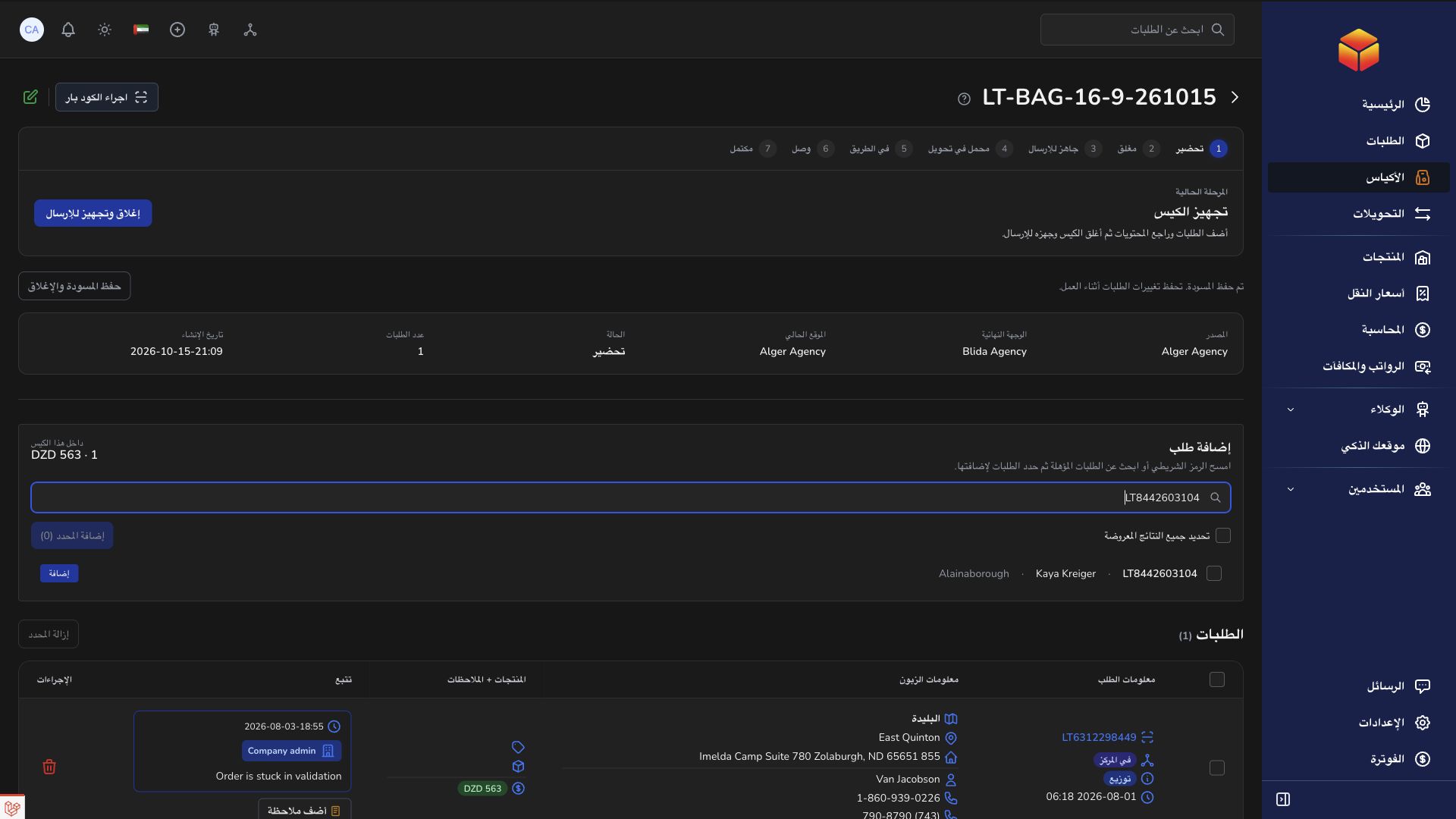
- Choose Seal and mark ready. Review the confirmation carefully before continuing: once closed, the bag’s contents cannot be edited through the normal add/remove actions.
- Confirm that the bag is now Ready to Send. If it is not, read the response and check the contents and current location before trying again.
- Choose Transfer when you are ready to allocate its next journey. Select the next stop, which may be a hub or the final receiving agency, and select the transporter requested by this action.
- If the next stop is an agency, it must be the bag’s final agency. An intermediate hub can be used for onward routing. Review the physical route before confirming.
- For a selected group of bags, confirm that they share the same current location and final agency. Do not include a bag still being prepared or already committed to another active movement.
- Open the linked transfer and check its manifest. A compatible existing transfer may be used; do not assume a separate new transfer is created for every bag. Record departure there when the vehicle actually leaves.
Ready, assigned and travelling are different
Ready to Send describes the prepared bag. Assigned to Transfer means it has joined a planned load. On the Road follows the transfer’s actual departure. Hand the bag to the correct transporter and reconcile the load before departure is recorded.
Adding bags through the transfer action can move the transfer directly into Loading. Read the resulting state instead of looking for an extra Start loading step that may already be complete.
Forward a closed bag from a hub
A hub receiving a bag for another agency keeps it closed. At the correct current location, mark the received bag ready for its next movement and choose the next transfer. Keep the original final agency unchanged.
Final parcel verification and opening belong to the final receiving agency. An intermediate arrival should not be recorded as final completion just to make the bag disappear from a work list.
Good to know
Closing the bag, assigning a transfer and recording departure are separate responsibilities. Confirm the updated state and the physical handover at each stage.
Application links
Application links require the appropriate account access. The destination is selected for your signed-in role.