Ask the AI assistant for help and find your records
Find orders, understand their history, check operational information and get documentation links in your selected language.
Overview
Find orders, understand their history, check operational information and get documentation links in your selected language.
Choose the right workspace
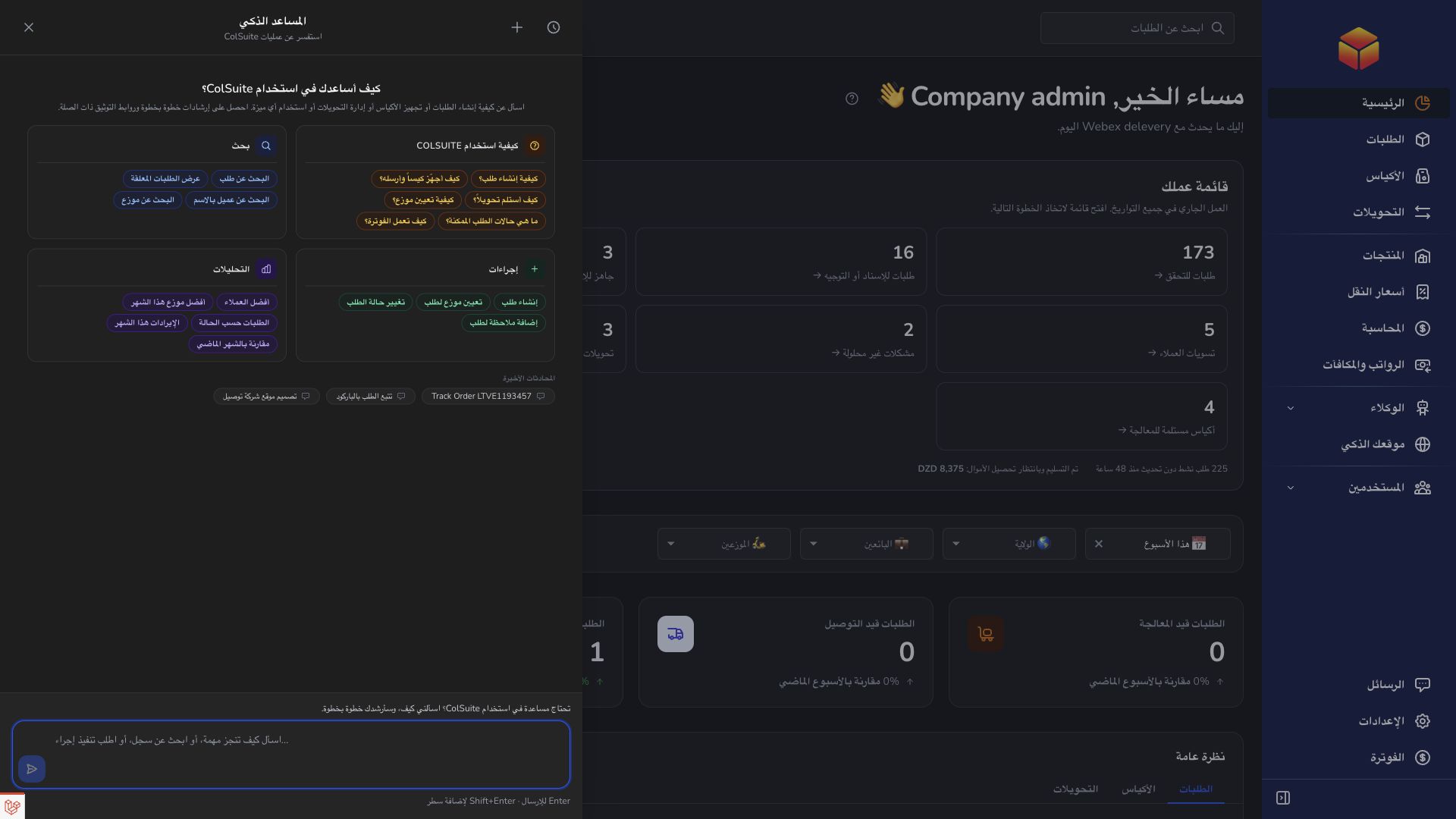
Use the everyday AI assistant to ask questions, find information and propose supported order changes. Review its cited guide or record link and check the confirmation card before approving an order action.
AI Website is a separate company workspace for creating and improving the public company website. Its saving and publishing controls have their own effects: saving changes to a published website can update it immediately.
Operational agents are ongoing automations with conditions, timing and an execution mode. Preview their matching work, review the actions and choose whether changes are simulated, require approval or run automatically where supported.
Steps
- Open the AI assistant from the header and type a clear question. Use a suggested question if it matches your task.
- Identify an order by its barcode, a bag or transfer by its code, and a vendor or transporter by name or email.
- Include the period, status, destination or vendor when asking about a list or totals.
- Read the reply, open the supplied record or documentation link, and ask a follow-up question if something needs clarification.
Choose the right kind of question
For instructions, ask questions such as ‘How do I receive a bag?’ or ‘How do I open a support ticket?’ The assistant can consult published documentation and provide a link to the relevant guide. Instructions explain what you should do; receiving an explanation does not mean the assistant has performed the operation.
For account information, ask for an order’s current status, customer details, items or timeline. You can also ask about bags, transfers, products, transporters, bills and available statistics, depending on your access. For example, ‘Show the history of order DEMO123’ uses an invented barcode; replace it with a real one.
Turn a broad question into a useful answer
Instead of ‘What is wrong?’, ask which visible orders need attention and specify a status, vendor or destination. Ask whether an order is ready for delivery, what information is missing, or which transporter is recommended. A recommendation is a suggestion, not an assignment.
When asking about phone numbers, distinguish the delivery recipient from the vendor’s business contact. For reports, name the dates and the grouping you want, such as orders by status this month. If a name matches several people, provide an email or another clear detail.
Understand availability and follow up
Results depend on your role, your permissions and the records available in your workspace. A vendor, agency, hub and transporter may receive different results for the same question. If a record is not found, verify its barcode or code and check whether you can open it normally.
Continue in the same conversation when discussing the same issue. Use a new conversation for a different task. The assistant follows the language selected in ColSuite; keep names and barcodes exact when changing languages.
Good to know
If an answer lacks the record or detail you need, ask the assistant to check it again rather than treating a guess as a confirmed fact.
Application links
Application links require the appropriate account access. The destination is selected for your signed-in role.